Personalized Insights
The Personalized Insights feature was brought in-house after previously relying on third-party APIs, giving the team an opportunity to reduce costs while improving the overall experience. Beyond redesigning the existing pages, the project also focused on improving the content itself so the insights would feel clearer, more actionable, and more useful for outbound sales.
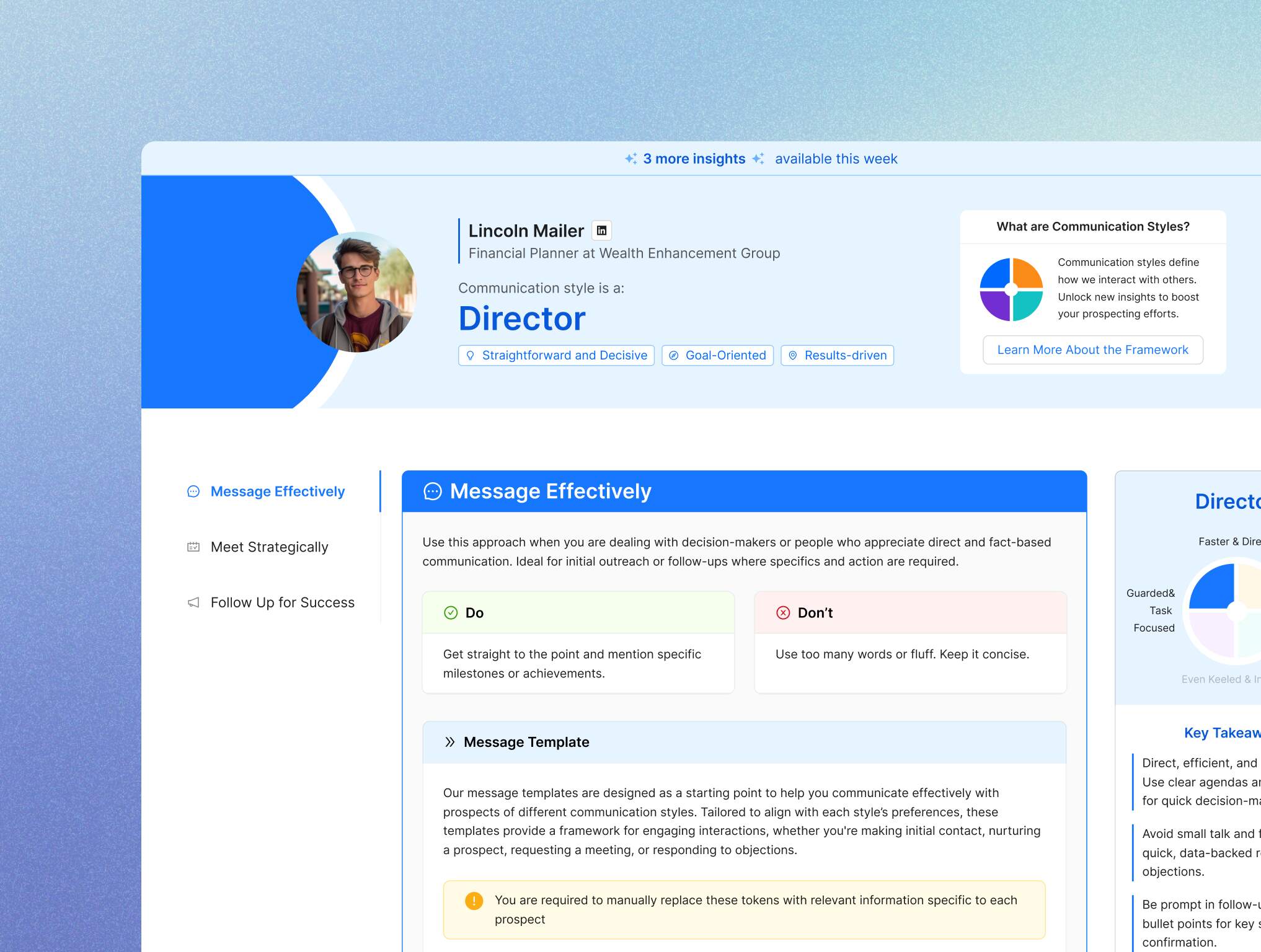
The feature analyzes LinkedIn profiles and posts to classify sales leads into four communication styles: “Director,” “Relator,” “Thinker,” and “Socializer.” Based on each style, it provides tailored approaches and message templates to help users personalize their outreach and improve response rates and appointment bookings.
COMPANY
CoPilot AI is an AI-powered sales enablement tool for outbound LinkedIn sales, helping teams analyze leads and create personalized messages to improve response and booking rates.
MY ROLE
UI Designer
TEAM
UI Designer (me)
PM
2 Developers
Machine Learning Engineer
SCOPE
Feature restructuring & information architecture
UI design for product feature
Design system contribution
Cross-functional collaboration with product & engineering
TIMELINE
2 months: Jan 2024 – Entire project
1 month: Feb 2024 – Design part
(Chrome Extension)
2 months: Mar 2024 – Entire project
1 month: Apr 2024 – Design part
TOOLS
Figma
CHALLENGE
Making insights actionable within real sales workflows
The Personalized Insights feature provided valuable information about leads, but it wasn’t structured in a way that aligned with how outbound sales professionals actually work. As a result, users struggled to translate insights into real actions, making it difficult to effectively apply them throughout the sales process.
SOLUTION
Reorganizing insights into a structured, action-oriented experience
The feature was redesigned to align with sales phases, allowing users to navigate insights based on where they are in their workflow. Information hierarchy was clarified, and scenario-based message templates were introduced to help users quickly understand what to do next, turning insights into practical actions.

DESIGN PROCESS
From restructuring insights to delivering a more actionable sales workflow
1
Redesign Direction from User Feedback
Based on user feedback collected by the Product Manager through the Customer Success team, the redesign focused on improving both the page structure and the content. The Product Manager first prepared a lo-fi wireframe, which became the starting point for the first redesign direction.
First Redesign Iteration
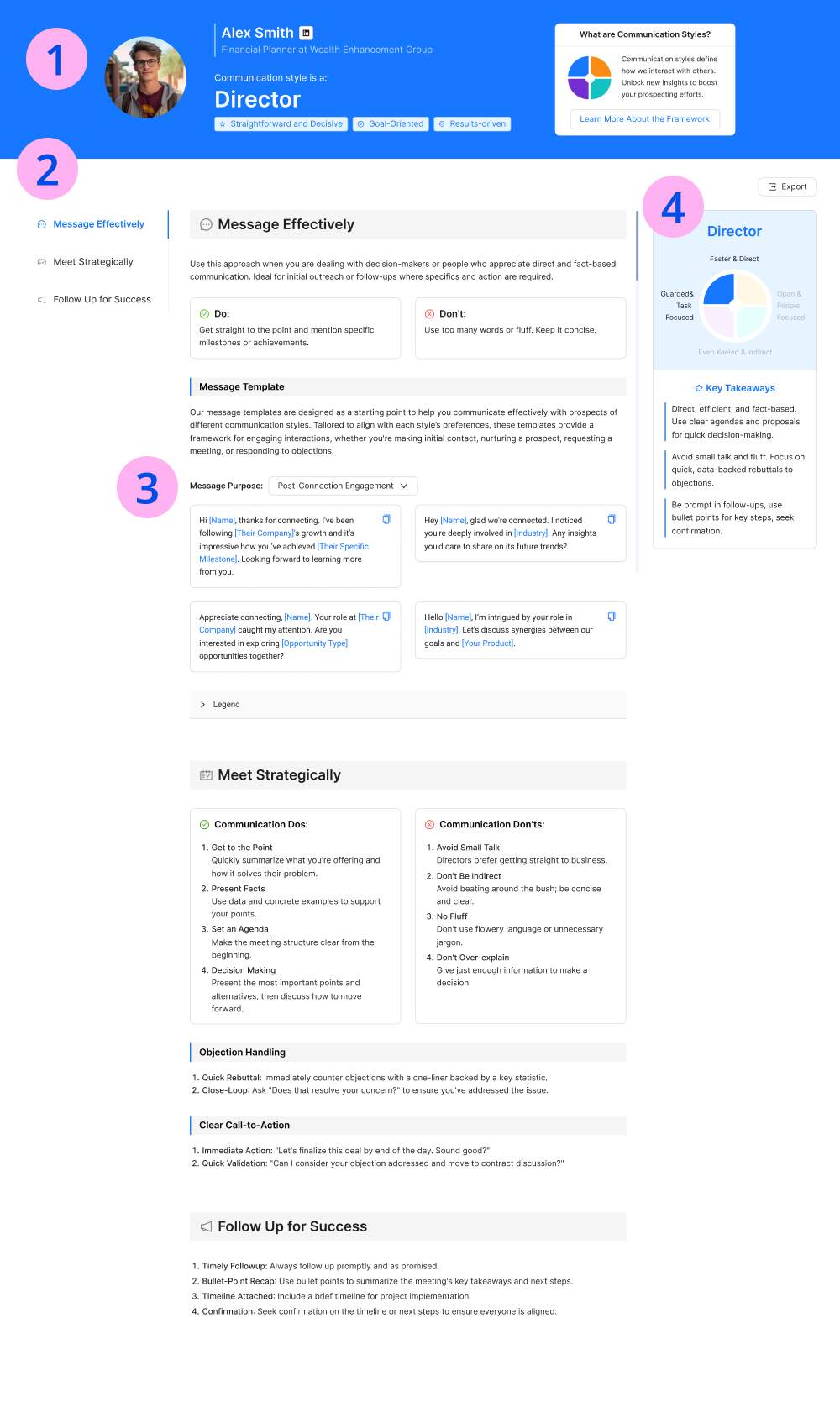
❶ Header Summary: Summarized key lead information in a clear layout in the header, including "Name, Company Name, Title, LinkedIn Link," "Communication Style Traits," and a brief description of the communication style—organized neatly to avoid clutter.
❷ Sales Phases: Divided the main content into three sales phases—Pre-message on LinkedIn (Message Effectively), Before the Meeting (Meet Strategically), and After the Meeting (Follow Up for Success). A menu button on the left allows users to jump directly to each section without scrolling.
❸ Message Templates by Communication Styles: Generated message templates in tones suited to each communication style. A copy button lets users quickly copy and paste these templates, which include placeholders for lead information like [Their Company] and [Industry]. Descriptions for these placeholders are included in dropdowns below the template for easy reference.
❹ Detailed Communication Style Characteristics: Expanded on communication style traits in more detail, visualized in charts to highlight differences between styles, making them easier to understand at a glance.
BEFORE: Previous Design

❺ For each of the four communication styles, colors were chosen to match their distinct traits, excluding red and yellow, as these are commonly associated with error or warning UI elements.

2
Usability testing
The prototype was tested by the Product Manager, 5 members of the Customer Success team, and reviewed by the design team for additional feedback on visuals and UI.
Effectiveness
Users understood the overall structure and completed key tasks, but some section titles needed more clarity.
Efficiency
The left-side menu helped users navigate between sales phases, but message templates needed clearer categories for faster discovery.
Satisfaction
Users liked the simple layout, but the dark header made the page feel visually heavy and crowded.
3
Second Iteration
Based on feedback from the CS and design teams, the following refinements were made:
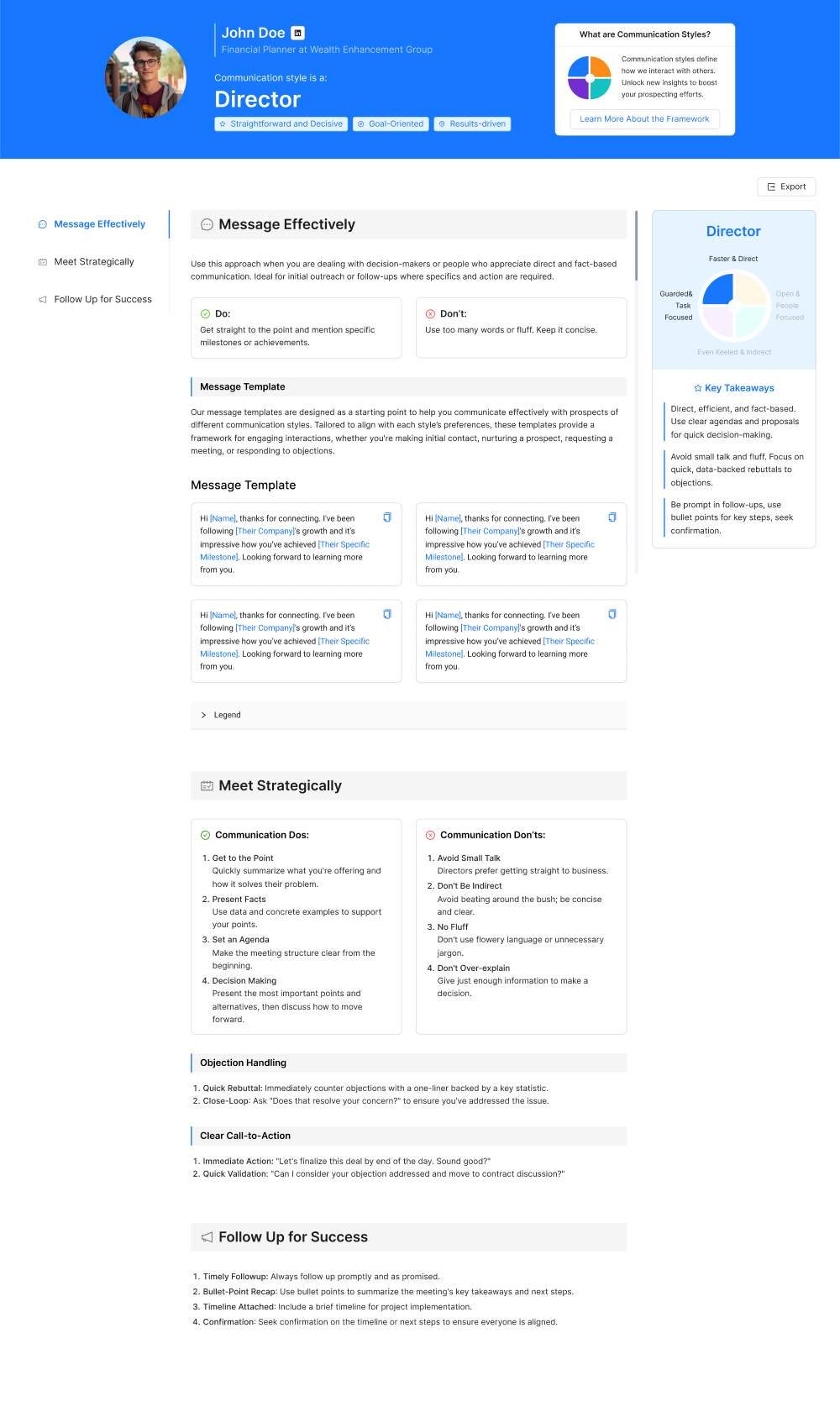
❶ Header Redesign: To reduce the crowded feeling and improve contrast, the header background was changed to a lighter tone that matches the right section, creating a more open look. A circular accent, resembling a communication style chart, was added to the left side of the header for visual interest.
❷ Section and Subtitle Styling: Colors were added to section titles and subtitles, with a box layout applied to enhance clarity and visual hierarchy.
❸ Expanded Message Template Categories: Previously limited to a single category, the message templates were expanded to include four specific categories: “Post-Connection Engagement,” “Nurturing the Prospect,” “Meeting Request,” and “Objection Responses.” This allows users to select messages tailored to different scenarios.
BEFORE: First Iteration
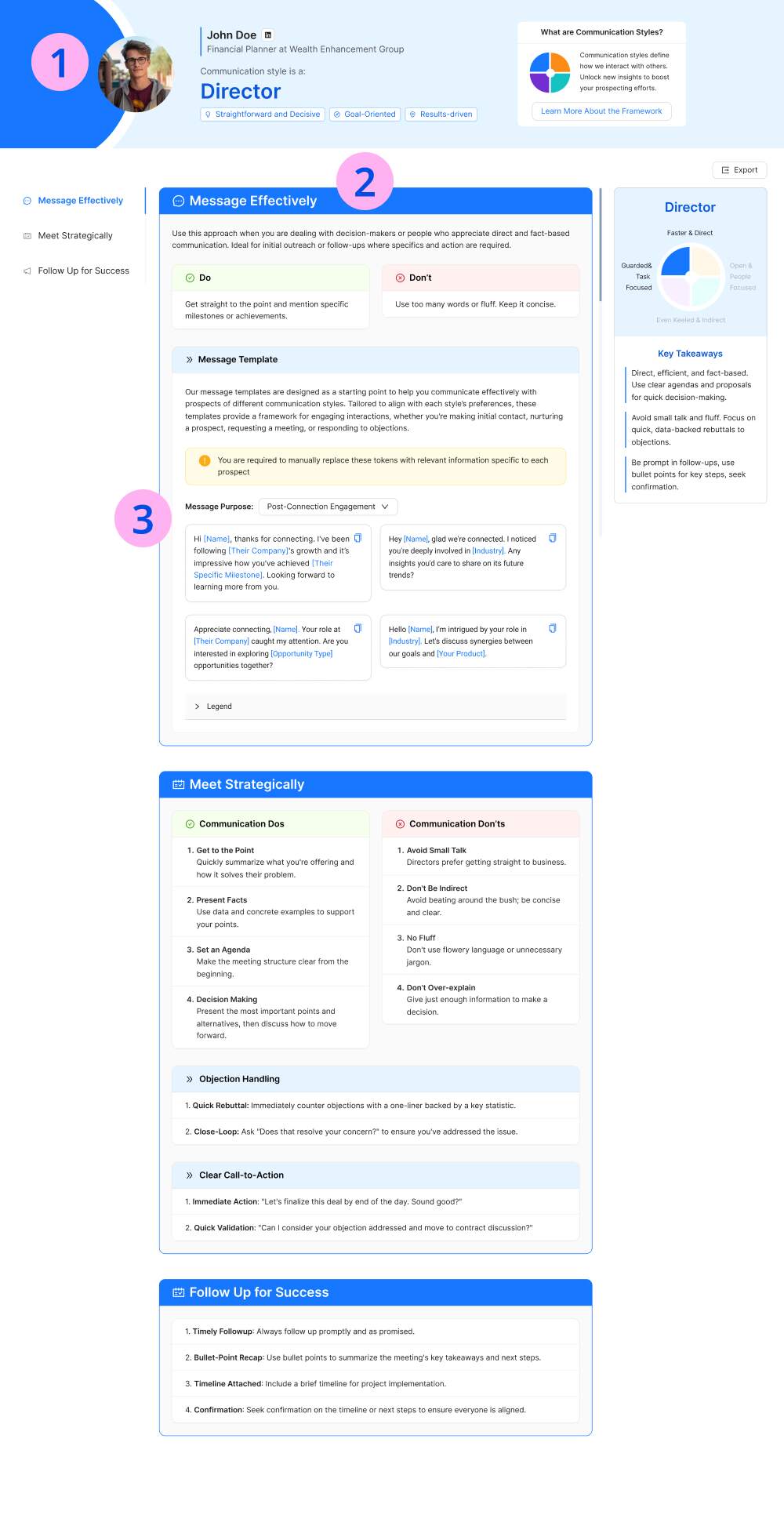
2nd Prototype
Created interactive prototypes in Figma to communicate interactions with the developer and PM.
4
Chrome Extension
Extended the Personalized Insights experience into a Chrome extension to support users directly within their LinkedIn workflow. This allowed users to access insights and message templates without switching contexts, making it easier to apply recommendations in real time while engaging with leads.
OUTCOME
Driving higher engagement through more usable insights
By making insights easier to understand and apply, the redesign significantly improved feature adoption and usage.
Average monthly usage increased by 103%
The number of active users using the feature grew by 174%
showing a clear shift from passive reading to active use in sales activities.
*These figures compare the monthly averages from October-December 2023 to February-April 2024.
Other Projects:
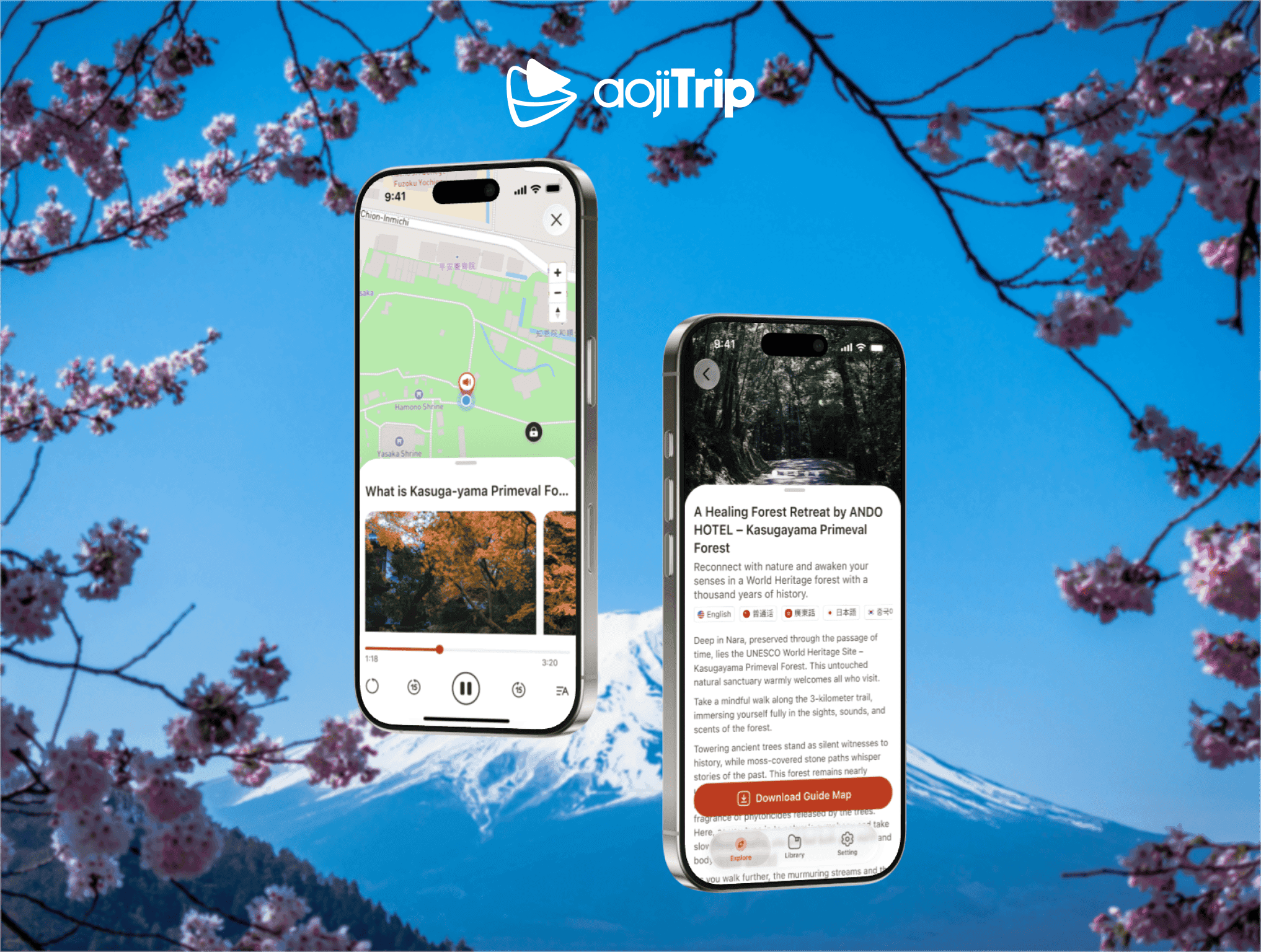
aojiTrip
Created aojiTrip, a mobile app that provides location-based audio guides and walking experiences, helping travelers explore Japan’s culture and history in an immersive way.
2025
Mobile App
Design System
Onboarding Emails
Redesigned welcome emails to improve the first impression after sign-up, making the communication clearer, more engaging, and better aligned with the product experience.
2024
Email Design
Coding